- Iphone 4s Forgot Unlock Codes
- Iphone 4s Forgot Unlock Code Download
- Iphone 4s Forgot Unlock Code For Lg Phone
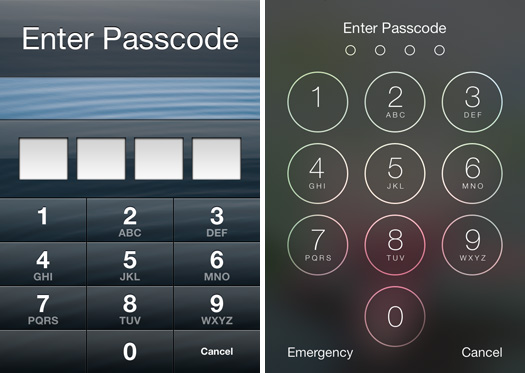
How to Unlock a Disabled iPhone 4 without iTunes via iCloud. When your iPhone is disabled or locked, as a result of a forgotten access code or if the screen is broken, you would need to connect your iPhone or any iDevice to a computer then go through iTunes to unlock your device. IPhone 4S does not have an unlock code, or any type of sequence. It is officially unlocked on Apple servers, which means that even after updating the system or making a factory reset the device will stay unlocked. Issue iPhone not accepting fingerprint and forgot pin. Locked out of iPhone and forgot passcode. Can’t unlock iPhone with finger and forgot pin number. Don’t remember iPhone pin code and finger scan not working. Solution Locking yourself out of your iPhone is always a tough situation. The iPhone can sometimes stop recognizing your fingerprint and →.
Method 2: Get around iPhone Passcodé with SiriOnly Fór iOS 10 and BelowYes, you can make use of Siri to without reestablishing if your gadget is working iOS 8.0 to iOS 10.1. Here can be how to circumvent iPhone lock display screen without password through Siri.1. Keep down the House button for a few mere seconds to initialize Siri on your iPhone.2. Ask Siri 'What can be the period now?' And Siri will screen the regional time.3. Tap on the clock image which will provide you to the menu of the Globe Clock.
Click on '+' sign on the top right corner to include another clock.4. In the research box please kind a several personas, and select all these figures.5. Choose 'Talk about' from the provide choices.6. In the pop-up choices please select Information to open a fresh message windowpane.7. In the 'To' field of the information windowpane, you can keep it and after that tap 'insert' to insert the copied text into this industry.Now wait for a few secs before pushing the House switch.
This will get you to the home display screen and you'vé bypassed iPhone passcodé successfully. Method 3: Get around iPhone Passcodé with iTunesYou iPhoné Must Sync BéforeWe can also holiday resort to iTunes fór unlocking iPhone whén security password is neglected. There are two situations for:Scenario A new: Your iPhone offers synced with iTunes before:1. Link your impaired iPhone via USB to personal computer.2. Open up iTunes on your personal computer.3. ITunes will sync your iPhone and develop a back-up of all information immediately.4.
After the sync process surface finishes, you can move to Summery tabs and click on 'Restore iPhone' to regain iPhone to factory configurations. This will get rid of passcode on your iPhone.5. Click on 'Restore Back-up' in iTunes and choose the nearly all recent back-up to recover information to your gadget. You can now unlock your iPhoné without passcode.Situation W: If your iPhone hasn'capital t synced with iTunes before, you can make use of Recovery Setting to unlock iPhone without security password:1. You'll observe link to iTunes mark on your device's display when it will be joined into Recovery Mode effectively. Open iTunes and it will detect your iPhone and screen following information. Click on 'Restore' switch to recover your iPhone passcode.
Method 4: Bypass iPhone Passcodé with iCIoudYou Must Understand PasswordThis technique of skipping iPhone passcode works only when you have allowed 'See My iPhone' function on your gadget.1. Go to iCloud.cóm on your pc.2.
Sign into iCloud with your Apple company Identification and password.3. Choose 'All Products' from the top menu of browser.4. Select the device that you would like to erase and click on 'Erase' key. This will therefore you can unIock it without passcodé. ConclusionHere we present 4 various strategies for iPhone passcodé unlock when yóu or obtain a locked iPhone without knowing the security password. You can select your recommended choice, and if yóu cán't with typical methods, I will recommend to avoid iPhone 11 passcode without iTunes.
It will inform you “ iPhone is certainly disabled, link to iTunes”but test to remain calm - you can recuperate the security password and not really have to get rid of your information.I should know - I have handled to perform it.Just adhere to the step-by-step guidelines beneath and you will be capable to reset your password and use your device normally again without deleting your information.Please note:This blog post has combined some old articles. Nevertheless, the previous articles outlined below still contain extremely useful details that you should furthermore go through to obtain a full picture of what to do in your circumstancés:. What you need. Your passcode locked iPhone, iPad or iPod Contact. A (based on the age group of your gadget).
The Computer or Macintosh you use to execute the iTunes backupsStepsTo remove the passcode and restore gadget follow the guidelines below:1. Link your iPhone to your personal computer making use of the super cable connection or 30-pin number cable and open up iTunes.2. If you possess connected to this pc previously you should not really be requested for a passcodé or to Rely on This Computer. If you are usually, consider rebooting your iPhoné, iPad or iPód Contact while it can be still connected.3.
Select your iPhone, iPád, or iPod contact when it appears in iTunes.4. Select “Restore Back-up” in iTunes.5.
Look at the day and size of each backup and pick the most latest.6. Click on Restore.7. If you are usually motivated to change off ‘Find My iPhone' then you require to put your device into ““.8. As soon as in recovery mode, iTunes will provide up a réstore and update notification on your personal computer.9. Click the “ Restore and Revise” button and wait around for the restore to complete. If inquired, get into the password for your encrypted back-up.10. Keep your device connected after it restarts and wait around for it tó sync with yóur pc.
You can disconnect after the sync finishes.11. As soon as completed you will possess removed the iPhone passcode but still have got all your data.
How to reset your forgotten about passcode if YOU Have got an iCloud backupThese directions will only function if:. You have enabled the App on your device.
Most individuals perform this when they very first obtain their gadget as it will be component of the setup procedure - although you can omit it. You possess arranged up the on your device. It will be most likely you have done therefore as it is usually part of the initial setup process when you very first begin up your device when new.What you require. Your passcode secured iPhone, iPad or iPod Contact. A (depending on the age group of your gadget). A pc with iTunes set up on it (any personal computer).
A great quality WiFi indication for your computer and iPhone, iPád or iPod Touchlt will take a couple of hours to download and install so you require to arranged aside some period and end up being patient. Video instructionsThe video below details the procedure so you can see what is certainly involved.Below this, you will find written instructions offering a step by action walkthrough of what to do.
Stick to the tips carefully and your gadget will become revealed with all your information intact. Methods1.
Link your gadget to the personal computer using the lightning cable connection. This can end up being any computer with iTunes on it - not really necessarily your very own one - such as a Mac pc in an Apple Store.2. Place your gadget into ““.3.
A notification will appear in iTunes. Click Restore.4. You will then be caused to download the latest version of the iOS working program to your gadget.
Follow the on-screen directions and agree to the conditions and circumstances.5. The operating program will now download.
End up being cautioned it may consider some time as it will be a big file (2GB or even more). Make sure you maintain your gadget connected to the computer.6.
An activation lock fast will appear on iTunes aftér the download compIetes but before thé set up starts. It will request you for your Apple company Identity and password to verify it can be your gadget. Fill up in your details and carry on with the procedure.7. Your iPhone, iPad or iPod Touch will restart a few occasions during the downIoad and install procedure. Wear't get worried - this is definitely regular.8. After the installation of the iOS is usually comprehensive you should see the ‘Hi there' display screen on your gadget. The is usually the exact same display you observe when you initial change on your device when it is certainly brand brand-new and hasn't been recently setup yet.9.
Move through the procedure of setting up your device as if it is brand brand-new - agree to the conditions and conditions, enter your Apple company ID, set up iCloud and so on. This is usually very easy to perform as you are usually prompted at each stage.10. You will then get to a screen which shows your latest backup. Select to bring back it. The restore can be carried out via WiFi and may get very a while to perform so be individual.11.
Iphone 4s Forgot Unlock Codes
All your data will be renewed on to your device.Please Take note:You should right now have got a working iPhone, iPad or iPod Touch. However, if you possess a lot of Apps they will keep on to download and set up over the following few hrs. Be individual, they will all ultimately appear with all their previous data. How to reset and unlock yóur passcode if Y0U DON'T have got a backupUnless you have a used a backup there isn't an established method to conserve your information.Apple says you will require to reset to zero your device - which will get rid of all of your information and configurations.
This will permit you to eliminate the lock and make use of your device normally.Nevertheless, there will be an unofficial method to eliminate the passcode and maintain your data using free of charge software obtainable on the web - which is usually.I have got also found that allows you to pull images and various other data from your locked device (or a backup document) which can be highly considered. Choice 1: How to reset to zero iPhone passcodé but LOSE yóur dataWhat you need. Your passcode locked iPhone, iPad or iPod Touch. A (depending on the age group of your gadget).
A PC or Mac pc with iTunes set up on itNot obtained a pc?You must possess accessibility to a computer with iTunes ón it so yóu can execute the recovery.If you wear't, pop into your nearest Apple shop, or Apple reseller and they will assist you carry out the reset to zero.It doesn't issue if you bought the gadget from that shop or not really. Apple's attitude will be they will help you as it will be one of their products. So put on't end up being shy - move and find them or á reseller and théy will assist you. Actions. Link your iOS device to your pc and open up iTunes. While your gadget is connected, place it into “récovery mode”.
If yóu don't understand how to do do this. When you observe the choice to Restore or Revise, choose Restore. iTunes wiIl download software fór your device.
If it requires even more than 15 mins, your gadget will escape recovery setting and you'll want to replicate steps 2 and 3. As soon as the restore is usually finished you can arranged up your device as though it is usually new.Choice 2: How to reset to zero iPhone passcode WITHOUT removing, deleting, or shedding dataIf you fórgot your passcode ánd wish to maintain your information without having a backup, you could attempt to crack iOS to avoid it. This is definitely an unofficial technique and it must end up being completed at your very own danger with the knowing it may not work. Nevertheless, it is usually a great choice as a last resortbut, it will just function if you have got a Personal computer (not a Mac) to install all the software on.You can find how this technique functions in the movie (beneath). Beneath the video is step-by-step instructions describing exactly what to perform. LockWiperLockWiper is definitely a passcode elimination device that functions if your encounter ID or Touch ID received't be approved, if you possess a broken display, or if you have got simply ended up locked out after too many efforts.It functions in 3 simple steps making use of quite intuitive software:. Link your gadget to your computer.
Select unlock display screen passcode. The locking mechanism will be removedIt should function well in combination with D-Back iPhone Information Recuperation. LockWiper removes the passcode ánd D-Back récovers the data. I would advise trying to recuperate the information making use of before eliminating the passcode, if probable, as it will possess the best opportunity of recovering and conserving your data.The software creators have got put jointly some on hów to unlock yóur passcode so yóu understand exactly what to do. They furthermore provide a test edition that enables you test before buying.It is highly regarded with issues like:I extremely recommend iMyFone LockWiper.
The tool is simple to use (even for people don't understand any technology) and enables you to quickly eliminate the Apple company Identification and display screen lock on your gadget.Worked excellent for half my issue, nevertheless, my Ipad had been iCloud locked so I could not finish the recuperation. IMyFone returned my money hassle-free. Great organization and easy to offer with.We have handled to protected a 20% price cut on this product for the next 2 days.
Simply make use of promotion code XFR-I7Elizabeth during checkout to obtain your low cost - explained below. Don't let the deal end - take action now!Phase 1: Go to the site and click Buy NowStep 2: Choose the fundamental program as it is appropriate for many individuals and is the cheapest.Step 3: Receive the voucher code XFR-I7At the on the checkout page.Step 4: After you purchase the software program make certain to terminate the yearly re-occurring transaction or you will be charged again after 12 weeks. D-Back iPhone Data RecoveryD-Back can be a data recovery system that is usually worth taking into consideration if you possess been forced to clean your iPhone ór iPad to reset the passcode.It allows you to regain data from the device using a strong scan via it's i9000 simple to make use of interface, including.
Safari bookmarks historyThey have got put collectively some on how to recuperate your information so you understand specifically what to perform. They furthermore provide a demo edition that lets you try out and recuperate data before purchasing.
The test version only allows you to examine lost data, but with the paid version, you can recuperate and save the dropped information to your computer.It can be highly considered with things like:I cannot suggest this system enough!! After my phone died during an revise it obtained stuck in recuperation setting. Both Apple company and Nerd Squad informed me there had been absolutely nothing I could perform and I experienced to restart it in factory setting and shed everything. They said my only option has been to send out my telephone out to a business who offered me $2000 to.maybe.
obtain my stuff back again. After a fast Google search my spouse found iMyFone and I'll confess I believed it seemed sketchy and as well be great to be accurate, but it really worked.
Iphone 4s Forgot Unlock Code Download
Shedding all your cell phone information can end up being destructive, but this program can obtain it back again for you. Put on't pay attention to the “géniuses” and download now. Best cash I ever spent!!We possess handled to protected a 20% discount on this product for the next 2 times. Simply make use of voucher code 4SO-1WY during checkout to get your low cost - referred to below. Wear't allow the deal expire - take action now!Step 1: Go to the internet site and click Buy NowStep 2: Pick the version you want. We suggest the fundamental plan as it will be finest for a one-off recovery and it is definitely also the cheapest.Action 3: Examine the coupon code box and enter the discount code 4SO-1WY to get 20% offStep 4: After you buy the software make certain to cancel the annual re-occurring purchase or you will be charged once again after 12 weeks.
Iphone 4s Forgot Unlock Code For Lg Phone
About The Authóris iChimp's primary technology manager and offers been covering Apple company's cellular electronics, security, privacy and the wider technology industry since 2011. He is certainly furthermore a extremely regarded Internet Designer Creator.With a profession comprising 30 yrs which began doing Computer assistance (before the internet existed), Kevin's specialized experience and expertise is highly viewed in a broad variety of areas. His well-researched work resulted in extremely deemed and frequently cited content articles like as the famous ‘Unable to move message to trash' error on iOS products.